Release: iOS 5.5.0

What's New
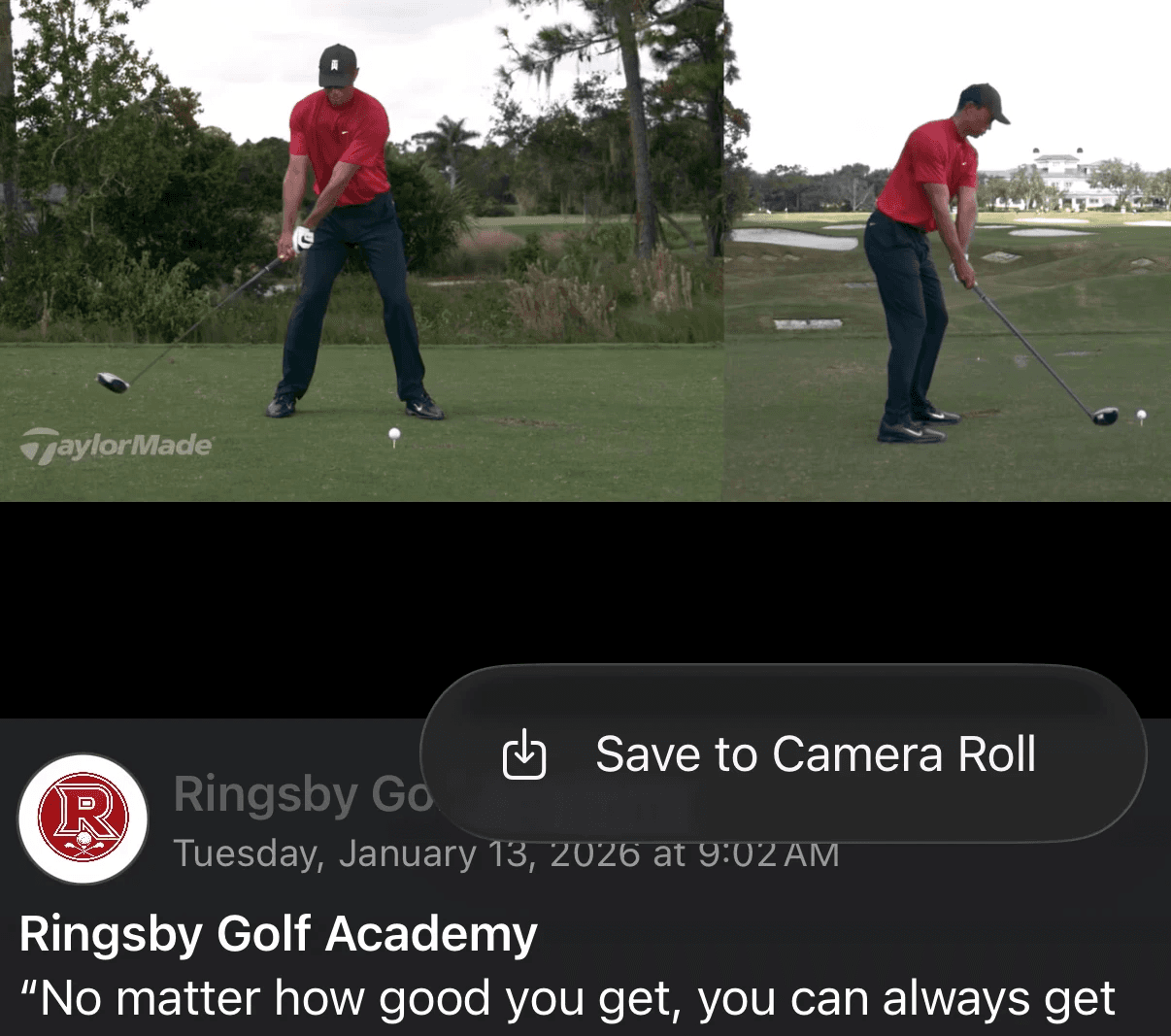
Save Video & Images from Feed to Camera Roll
Users can now save videos and images directly from Feed posts to their camera roll with a single tap. Whether it's a highlight clip, a team photo, or a drill submission, content is no longer locked inside the app. Share it, keep it, use it however you need.
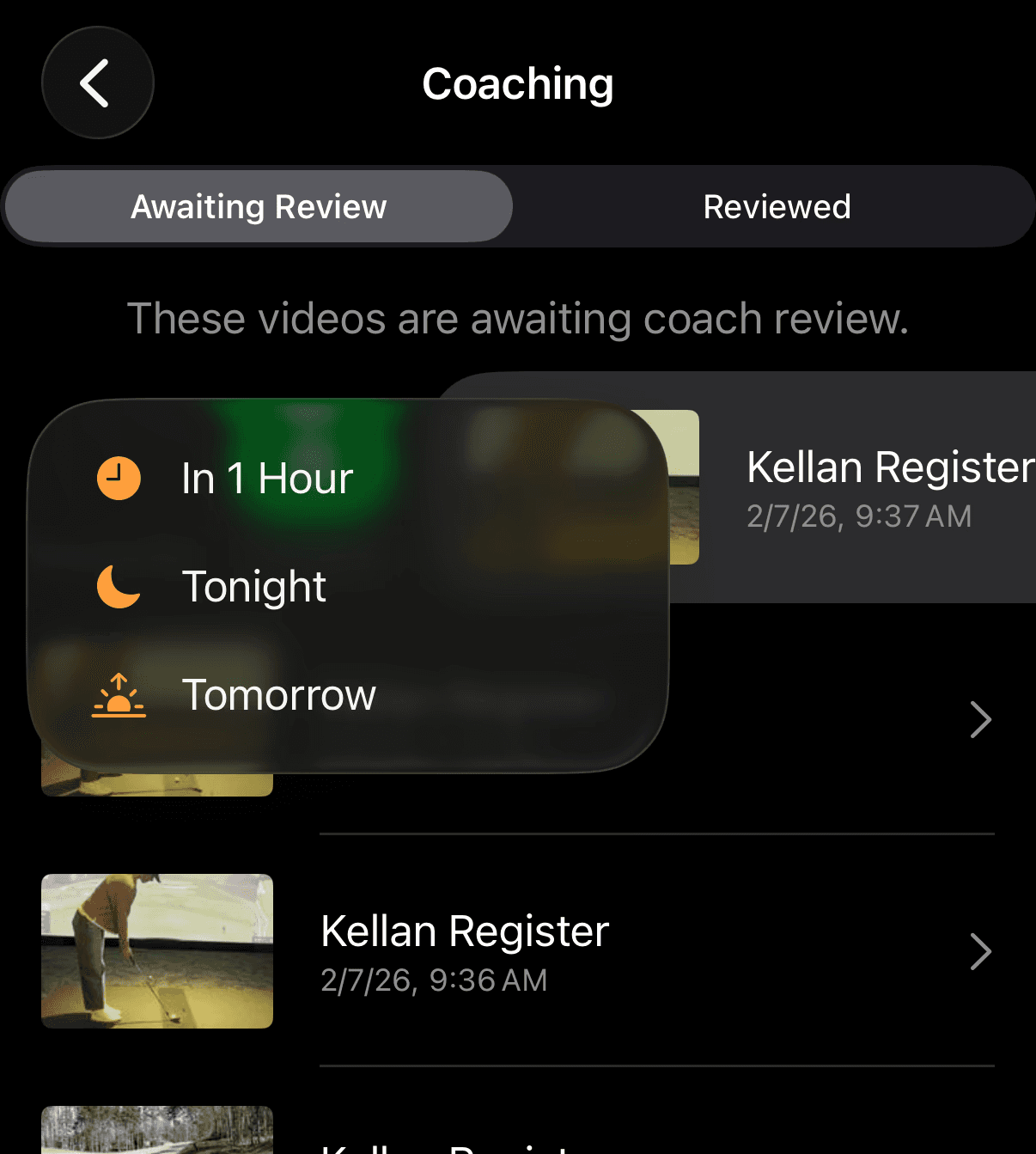
Reminders for Coaches: Incomplete Video Submissions
Coaches with unreviewed video submissions in their inbox will now receive reminders to follow up. Player development only works when feedback gets delivered, and this feature makes sure nothing slips through the cracks during a busy week. Stay on top of your queue without having to manually check in.
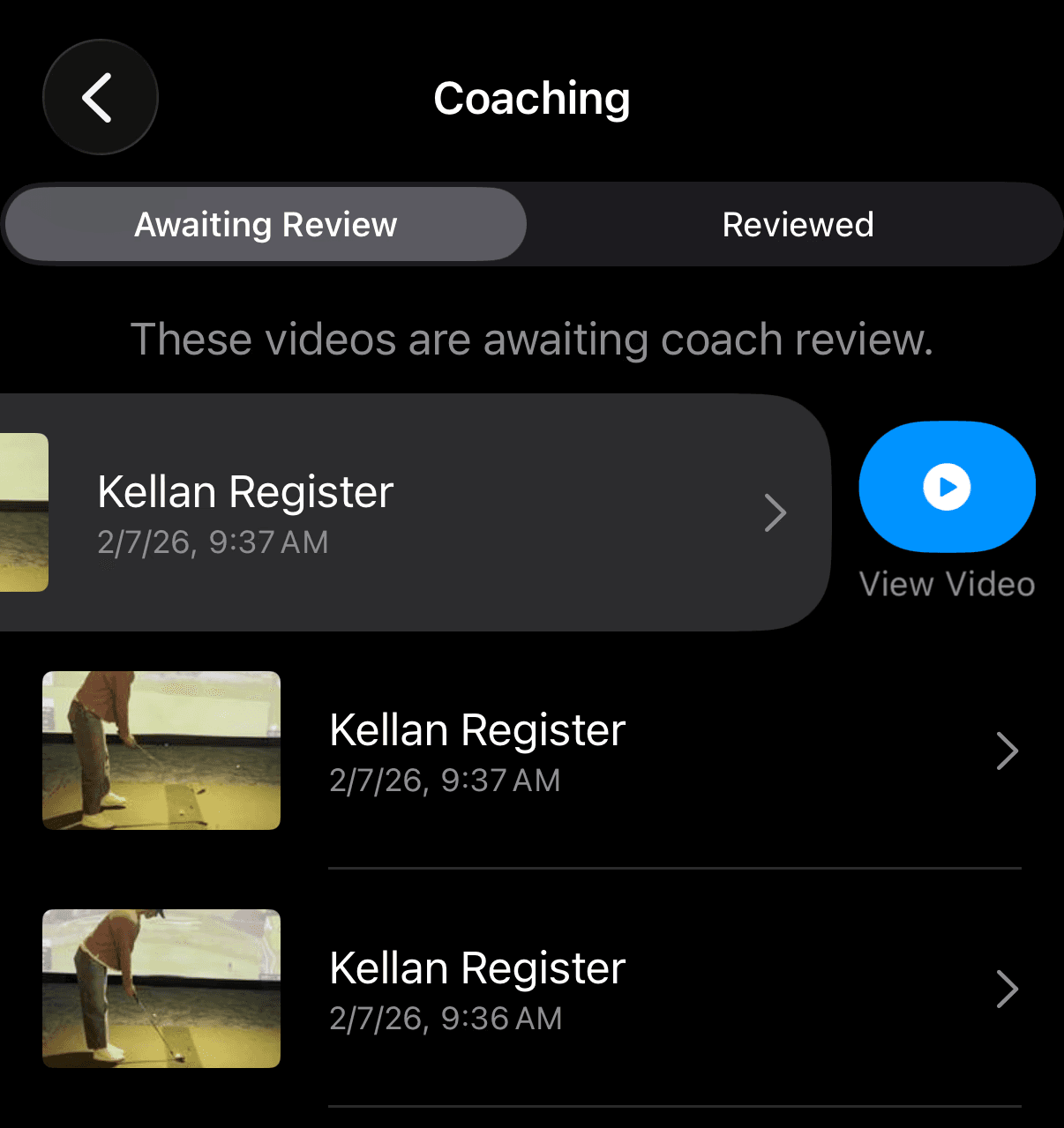
Open Video in Editor Directly from Coaching Inbox
Coaches can now jump straight from the Coaching Inbox into the video editor, no extra navigation required. When a submission is ready for feedback, the path from review to annotation is now one tap. Faster feedback, better player experience.
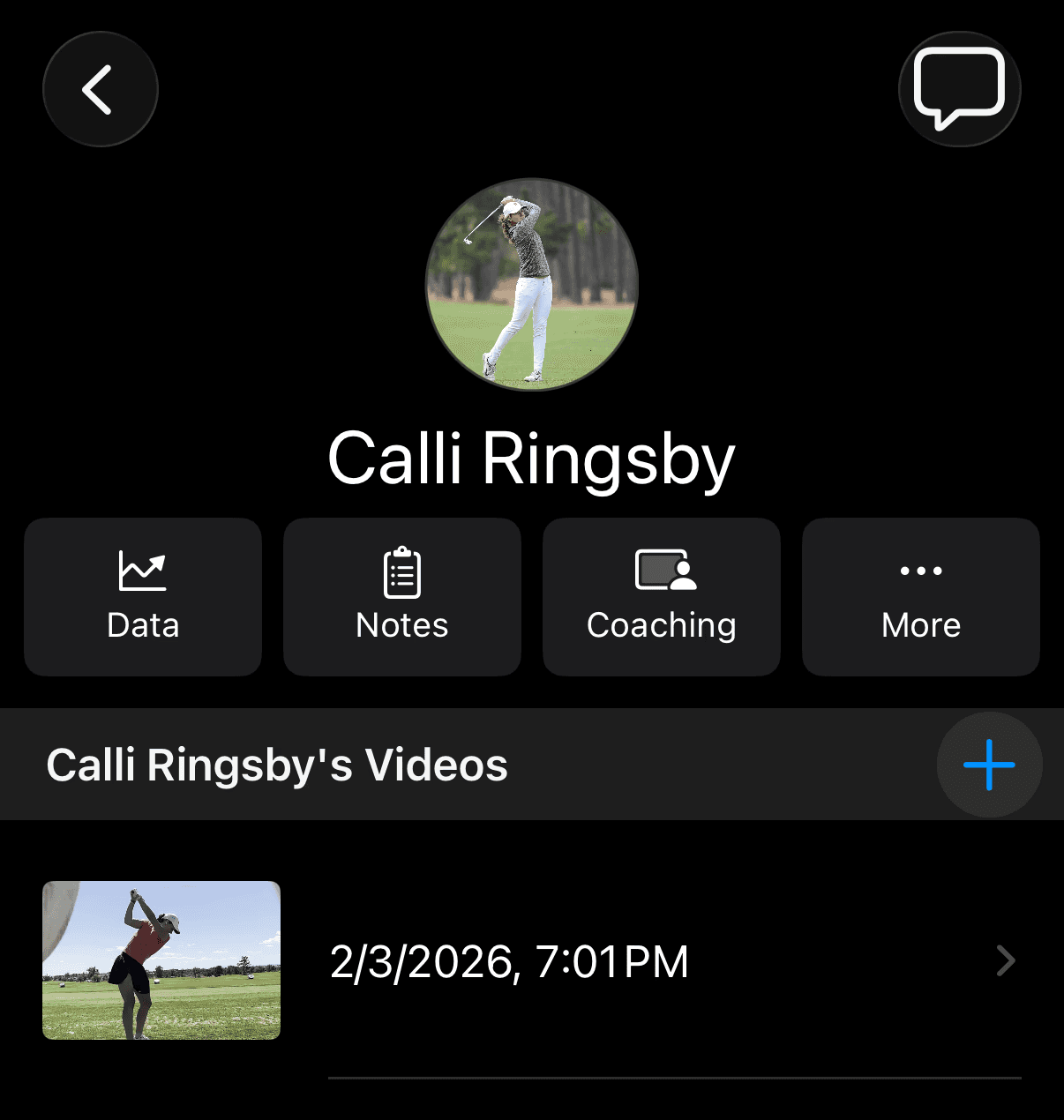
Notes Up-leveled on Player Profile
Player Notes have been given a more prominent place on the Player Profile. Coaching context, development notes, and key observations are now easier to access and reference, keeping the most important information front and center when you're reviewing an athlete.
How to Get the Update
Open the App Store, head to Updates, and tap Update next to The Futures App. If auto-updates are enabled, you may already have it.
The Futures App…built for the way youth sports organizations actually work.