How to choose a registration option before checkout
Some registrations offer more than one priced choice, such as a program length or player position. Choose one option and review its price before completing your registration.

Some registrations offer more than one priced choice, such as a program length or player position. Choose one option and review its price before completing your registration.
Find your registration
Open your club’s portal and sign in.
Select Registrations from the left-hand menu or home screen.
Open the program you want to join. If your club sent you a registration link, you can use that link instead.
Choose your option
Read the available choices and the price shown for each one.
Select the one option that matches the program you want.
Continue through the registration form and complete any required information.
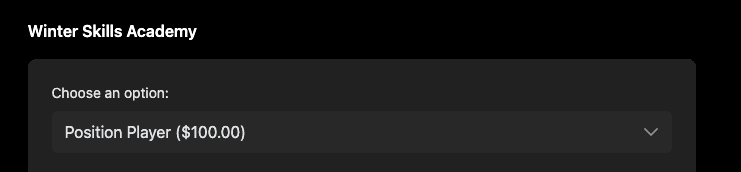
Choose one registration option. This portal example shows the selected option and its price.
Review before you pay
Check that you’ve selected the correct registration option.
Review the payment amount and any installment schedule shown at checkout.
Choose your payment method and complete checkout.
Tip: Not every registration has options. If the registration has one price and no option picker, follow the regular registration steps. If you’re unsure which option to choose, ask your club before paying.