How to create a membership with a set number of payments
Set a membership length to stop billing after a fixed number of payments. Members keep access through the end of their final paid period, so you do not need to cancel each membership when its term ends.
Set a membership length to stop billing after a fixed number of payments. Members keep access through the end of their final paid period, so you do not need to cancel each membership when its term ends.
Set the membership length
Open Memberships in the admin dashboard and start creating the membership.
Set the price and normal billing frequency.
Enable the optional membership-length setting.
Enter the number of payments the membership should include.
Review the terms and finish creating the membership before enrolling members.
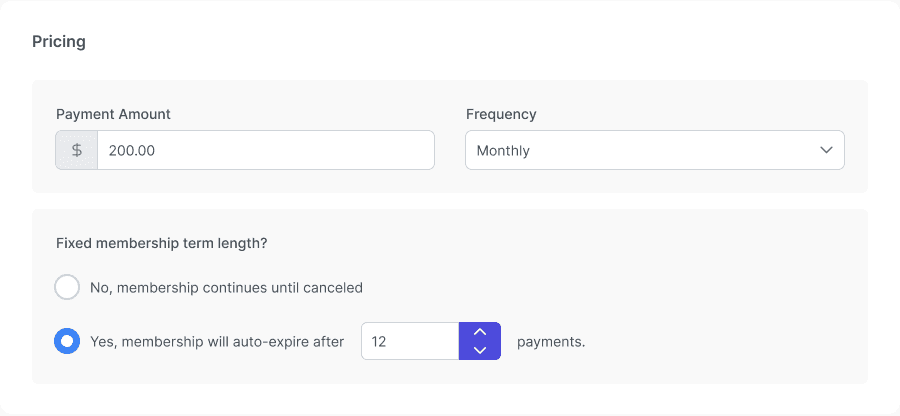
Membership pricing with a fixed 12-payment term enabled.
Count the signup payment
The signup payment is payment 1. For example, a three-payment membership includes the signup payment and two later renewals on its normal schedule.
After the final successful payment, billing stops automatically. Members keep the benefits of the final period they paid for; access does not end the moment the last charge clears. A failed payment does not count as a successful paid cycle.
Check before members enroll
Review the payment count and billing frequency together.
Check the membership’s customer-facing term information.
Make any needed term changes before there are active members. The term is locked while the offering has active members.
Note: Leaving the membership-length setting off creates an ongoing membership. A set payment count is not the same as a fixed calendar end date.