How to Navigate the Portal (As a Parent)
This article explains what you'll find on the portal home screen and how to navigate to what you need.
What you'll see on the home screen
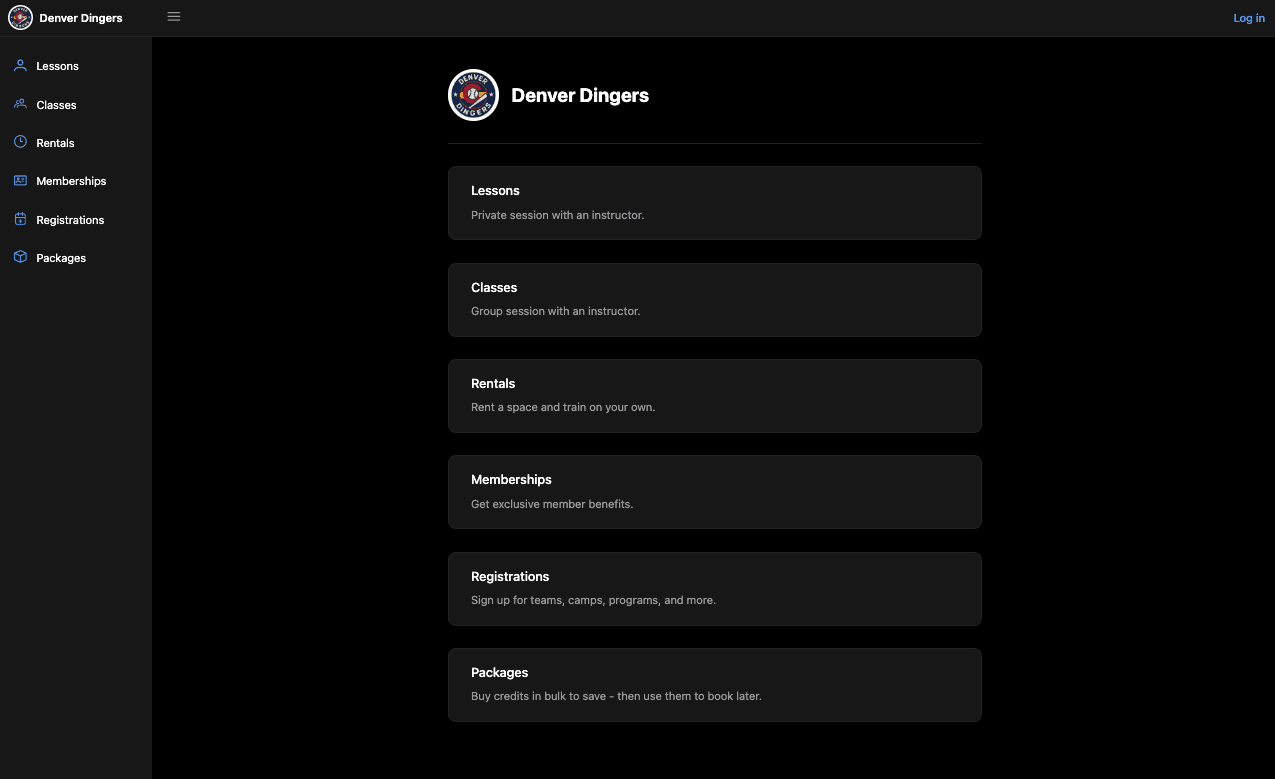
The home screen displays your club's logo and all available offering types. Click any card to browse and register.
Lessons: Book a private session with an instructor. One-on-one training tailored to your athlete.
Classes: Join a group session with an instructor. Shared training environment with other athletes.
Rentals: Reserve a facility space to train on your own, without a scheduled instructor.
Memberships: Sign up for a membership plan to unlock exclusive benefits and discounted rates
Registrations: Enroll in teams, camps, programs, and more offered by your club.
Packages: Buy credits in bulk at a discounted rate and redeem them for future bookings.
Not all clubs offer every option — you'll only see the categories your club has enabled. If something you're looking for isn't listed, contact your club directly.
How to get started
Visit your club's portal link (provided by your club or coach)
Click the "Log in" button in the top-right corner to sign in or create an account
From the home screen, click the offering type you need
Browse available options and complete your registration or booking
Additional Resources:
Managing you billing and payment methods
Booking a lesson (Portal & Mobile)
How to register for a team, camp or program
Resources By Role: