How to use package or membership credits when booking
Use eligible package or membership credits when booking a service through your club’s portal. Check the credit applied and the final total before you complete the booking.

Use eligible package or membership credits when booking a service through your club’s portal. Check the credit applied and the final total before you complete the booking.
Choose the booking
Open your club’s portal and sign in to the account used for the booking.
Choose the service, participant, and available time.
Continue to Finish & Pay.
Apply your available credit
Open Apply discount or credit.
Select an eligible package or membership benefit shown for this booking.
Check the updated total. A credit may cover all or only part of the price.
If a balance remains, choose the payment method requested at checkout.
Complete the booking and check its confirmation.
If your credit does not appear
Check the selected participant and service.
Confirm that you are signed in to the expected account.
Ask your club to check the package or membership and which services it covers.
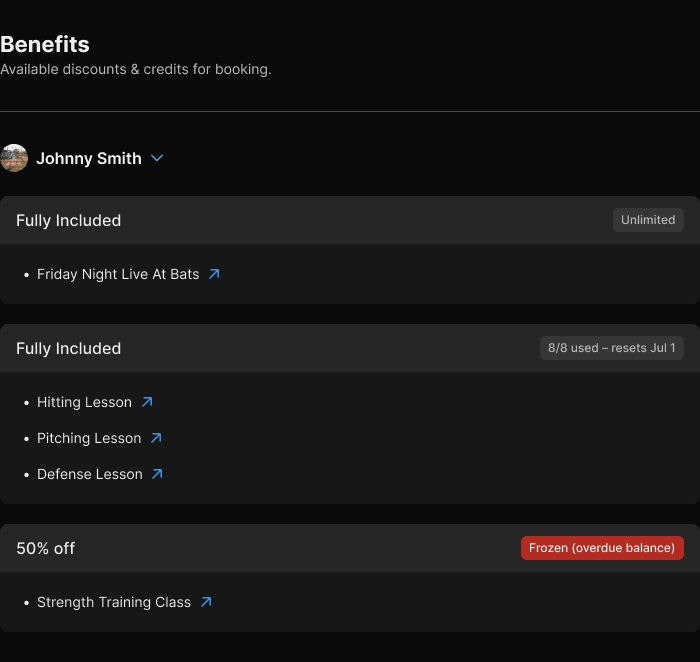
The Benefits page lists the selected participant’s benefits and the services they cover.
Do not assume that every credit can be used for every service or shared between players. If the total is not what you expected, ask your club before completing payment.