Understanding installment amounts and payment dates
Installments split a registration or invoice into scheduled payments. Review each amount and date before you pay, because your club may set different amounts or custom payment dates.

Installments split a registration or invoice into scheduled payments. Review each amount and date before you pay, because your club may set different amounts or custom payment dates.
Review your schedule before paying
Open the registration or invoice payment page supplied by your club.
If installments are offered, review the payment schedule before completing checkout.
Check the amount due now and every later payment amount and date. Installments do not have to be equal.
Review the total and payment method before you confirm payment.
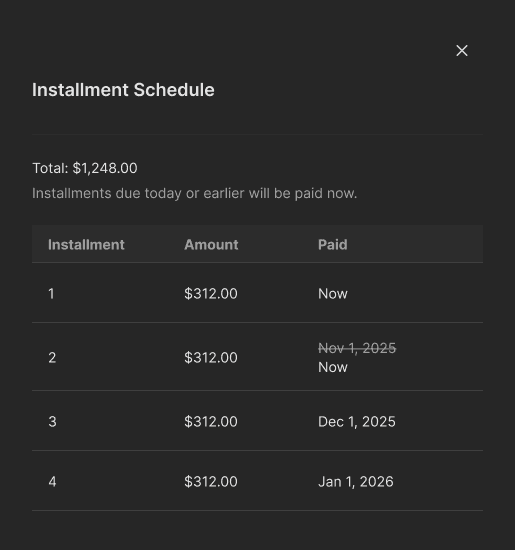
Example installment schedule. Your club’s amounts and dates will differ.
Why is the first payment larger?
Your club can set custom installment amounts. For a custom-date schedule, installments whose due dates have already passed are due when you sign up. Review the amount due now rather than assuming it will match a later payment.
Check an active plan
Sign in to your club’s portal.
Open Billing and find the program under Active Plans.
Review the plan information and next payment shown.
Contact your club if you need a different schedule or an explanation of a charge.
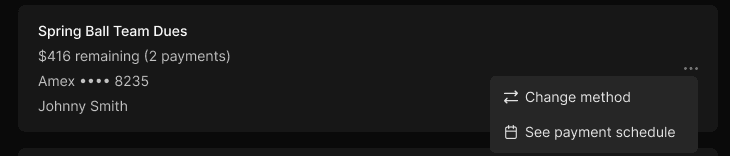
An active plan shows its remaining balance and number of payments.
Note: A saved payment method and the method assigned to a particular plan are not necessarily the same. Check the plan itself when updating a card.