Reach the right families, on every channel
Email, team feeds, and schedules run off the rosters and registrations already in The Futures App, so every message lands with the right people.
Email by team or registration
Send email to an entire team, everyone in a specific registration, or a single family. No exporting contact lists or juggling a separate email tool.
Club and team feeds
Post to your whole club’s News Feed or to one team’s feed. Multi-location and affiliate networks can post to every organization at once.
Post from your phone
Share updates, photos, and highlights to the feed straight from the mobile app, from the dugout, the sideline, or the parking lot.
Team schedules
Every team has its own schedule, so players and parents see the practices, games, and events that apply to them.
Learn more about our communication tools…
How is The Futures App's team communication different from group texts or email chains?
Group texts and email chains were built for personal use — they don't know the difference between a coach, a parent, and a player, and there's no structure around what information goes to whom. The Futures App's communication tools are built around your organization's structure. Coaches message their team. Administrators broadcast to the whole club. Parents see what's relevant to their family. Everything is organized, searchable, and tied to your actual roster.
What is Announcement Mode and when should I use it?
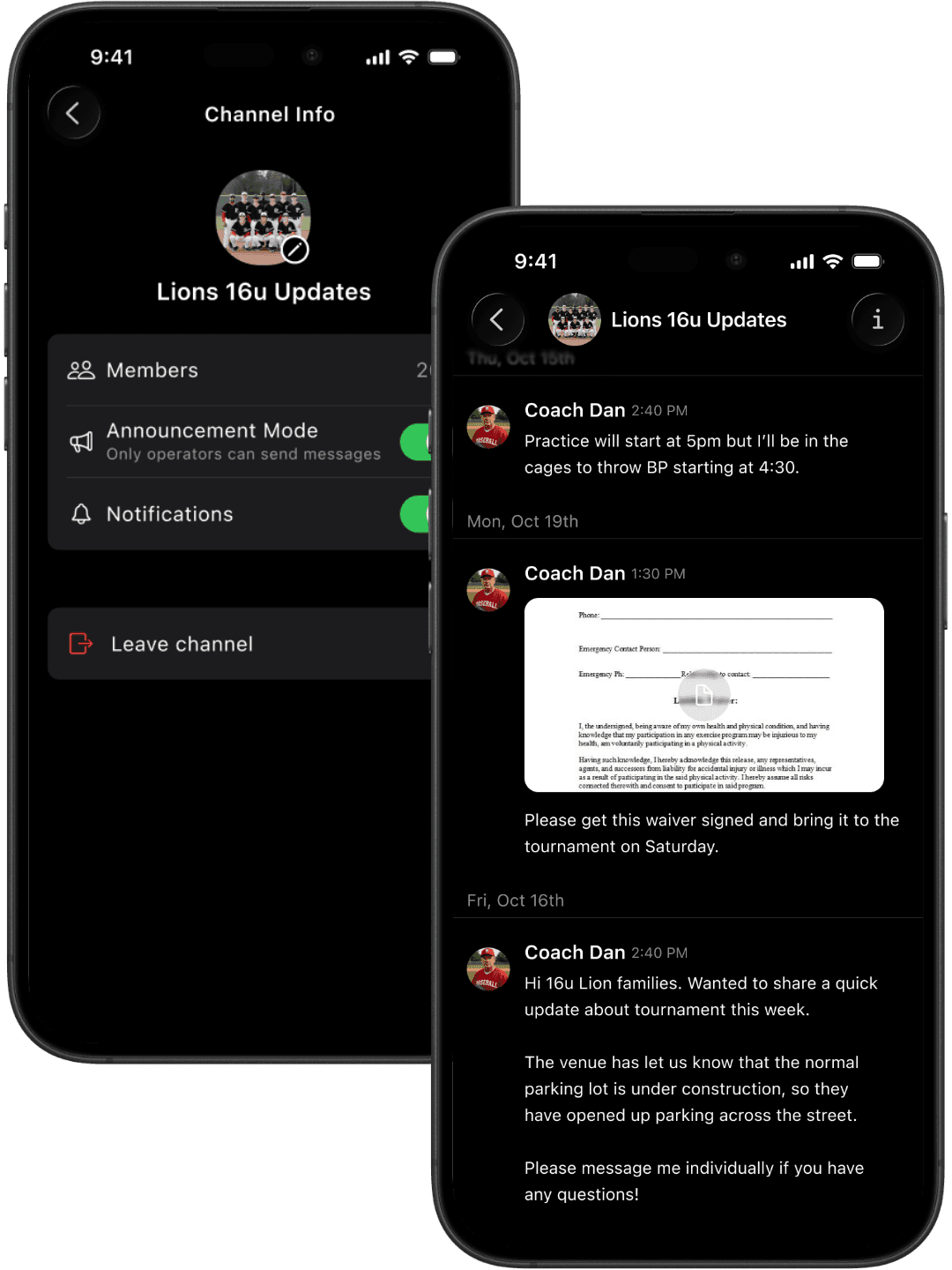
Announcement Mode restricts a team chat so that only coaches or administrators can send messages, while all members can still read them. It's useful for pre-game logistics, tournament day updates, or any situation where you need information to reach everyone without the chat getting buried in replies. Families still see every update — they just can't clutter it.
Can I send direct messages to individual parents or players?
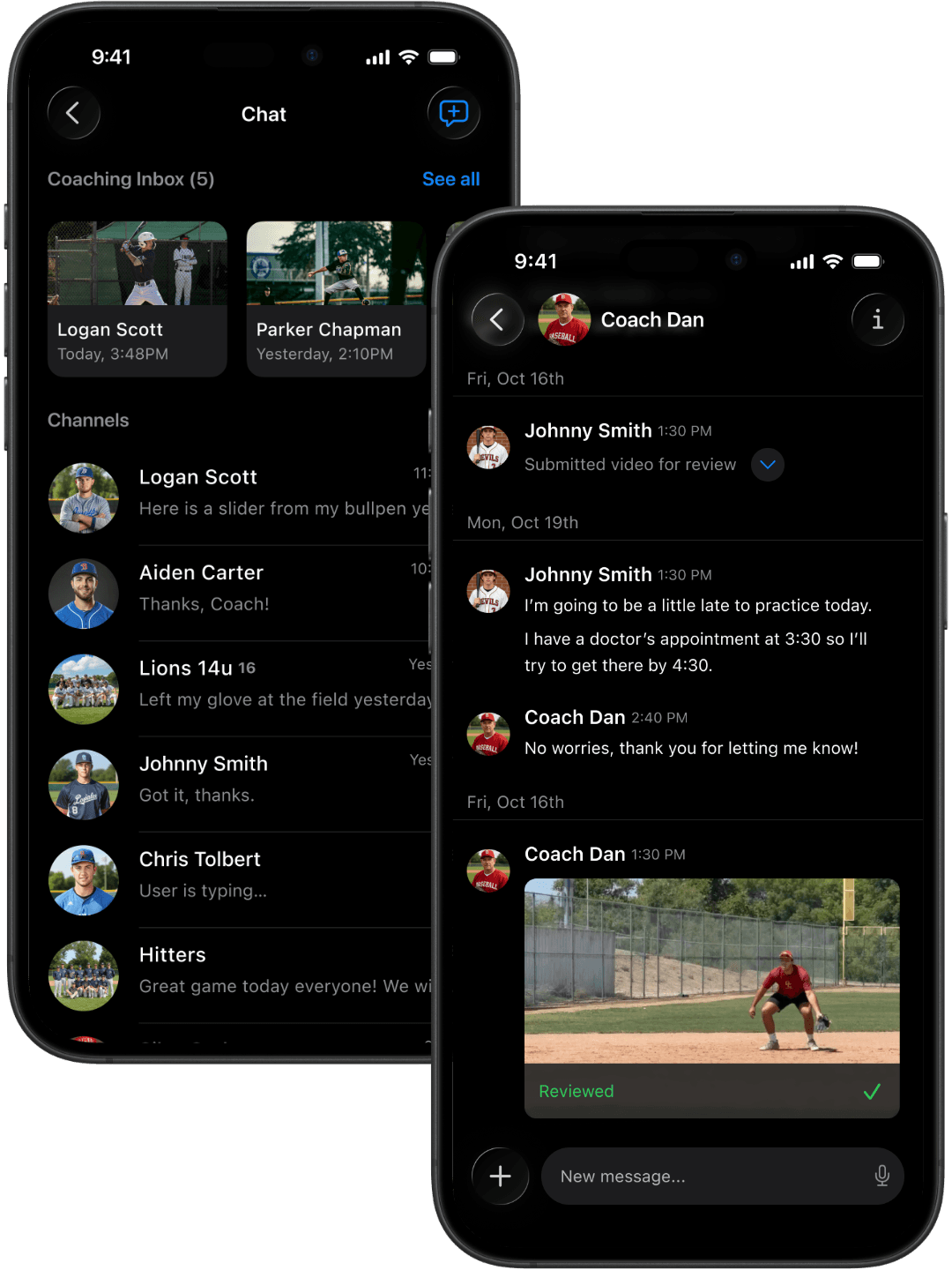
Yes. In addition to team channels, The Futures App supports one-on-one direct messaging between coaches and families. This keeps sensitive conversations — injury updates, performance feedback, billing questions — private and documented within the platform rather than scattered across personal text threads.
What is the News Feed used for?
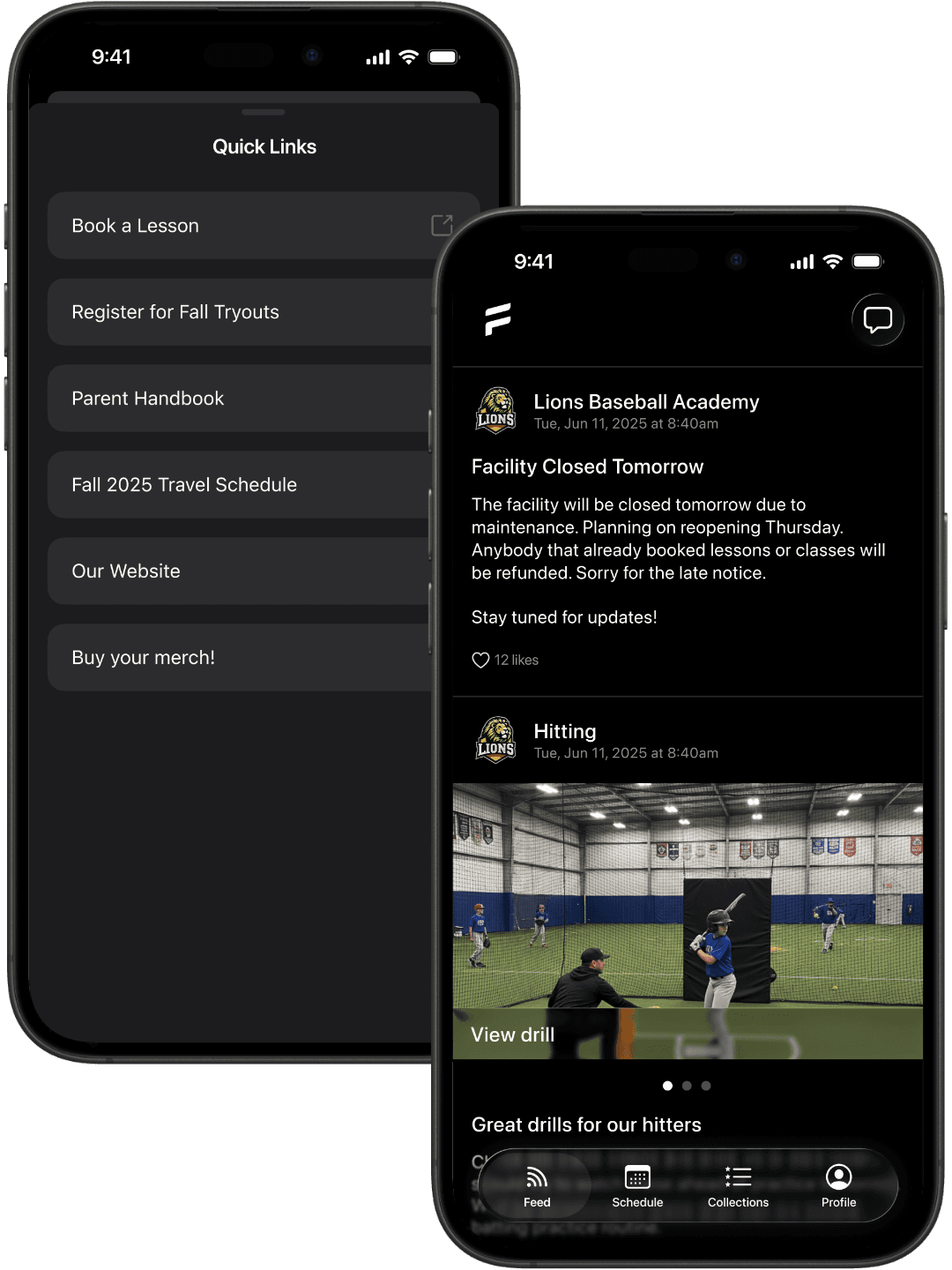
The News Feed is a one-way broadcast channel for announcements. Post to your whole club’s feed for things that apply to every family, like tryout dates, policy updates, or facility closures, or post to a single team’s feed for team-specific news. You can post from the web or straight from the mobile app, and organizations with multiple locations or affiliates can post to every nested organization’s feed at once. Unlike a group chat, the feed doesn’t fill up with replies, so important information doesn’t get lost.
Can I email parents by team or by registration?
Yes. Club admins can send email to an entire team, to everyone in a specific registration, or to an individual family. Recipients come from your existing rosters and registration data, so there’s no exporting contact lists or managing a separate email tool, and families who don’t check the app still get the message in their inbox.
Can I post to the News Feed from my phone?
Yes. You can post updates, photos, and highlights to your club or team feed directly from The Futures App on your phone, so a rainout notice or a game-day highlight can go out from the field instead of waiting until you’re back at a computer.
Does The Futures App support file and document sharing in chats?
Yes. Coaches can share files, images, and documents directly in team chats or direct messages. Common uses include sharing waivers before tournaments, sending practice plans to players, or distributing schedules. Families receive a notification and can access the document directly in the app.
Is communication data private and secure?
All communication within The Futures App is private to your organization. Parents, players, and coaches can only see channels and messages they've been added to. No communication data is shared with third parties, and all messages are transmitted and stored securely.