Release: Foundations of Schedule

Managing bookings shouldn't mean bouncing between screens and losing your place. This release lays the foundation for a better way to run your day: a dedicated Schedule tab, a faster Booking Detail page, and a simpler side navigation. It's the groundwork for a lot more to come.
Introducing the Schedule tab
There's now a dedicated Schedule tab in admin — the new home for your bookings, and soon, your team schedule too. Everything that happens on a given day lives in one place instead of scattered across views.
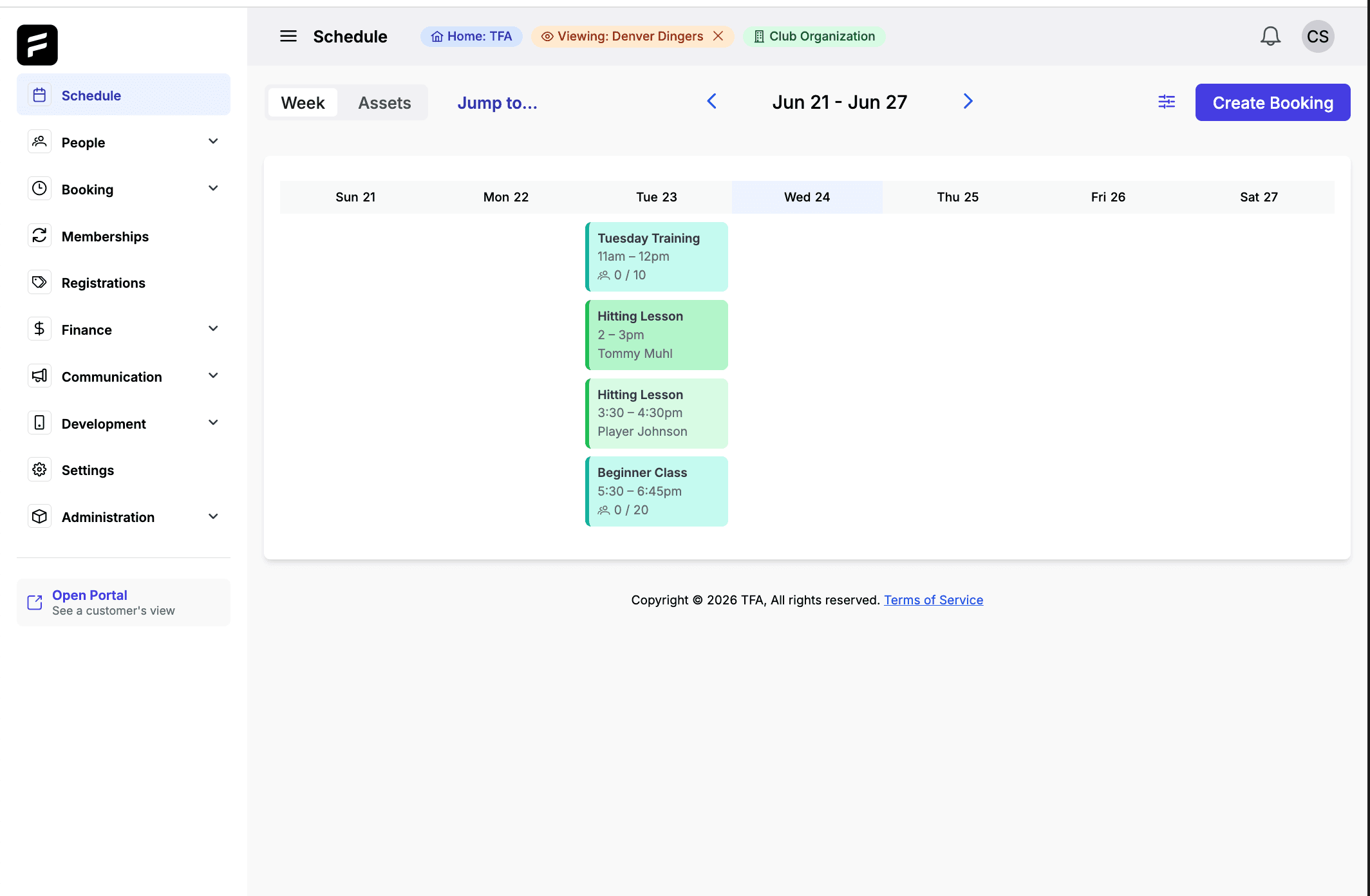
What's in it today:
Color-coded events so you can read your day at a glance — what's a lesson, what's a rental, what's a class — without clicking into each one.
Updated filtering to zero in on exactly what you want to see, whether that's one service, one instructor, or one slice of the calendar.
And because it's built as a foundation, it's where team schedules will land next — one view for everything on your calendar.
A faster Booking Detail page
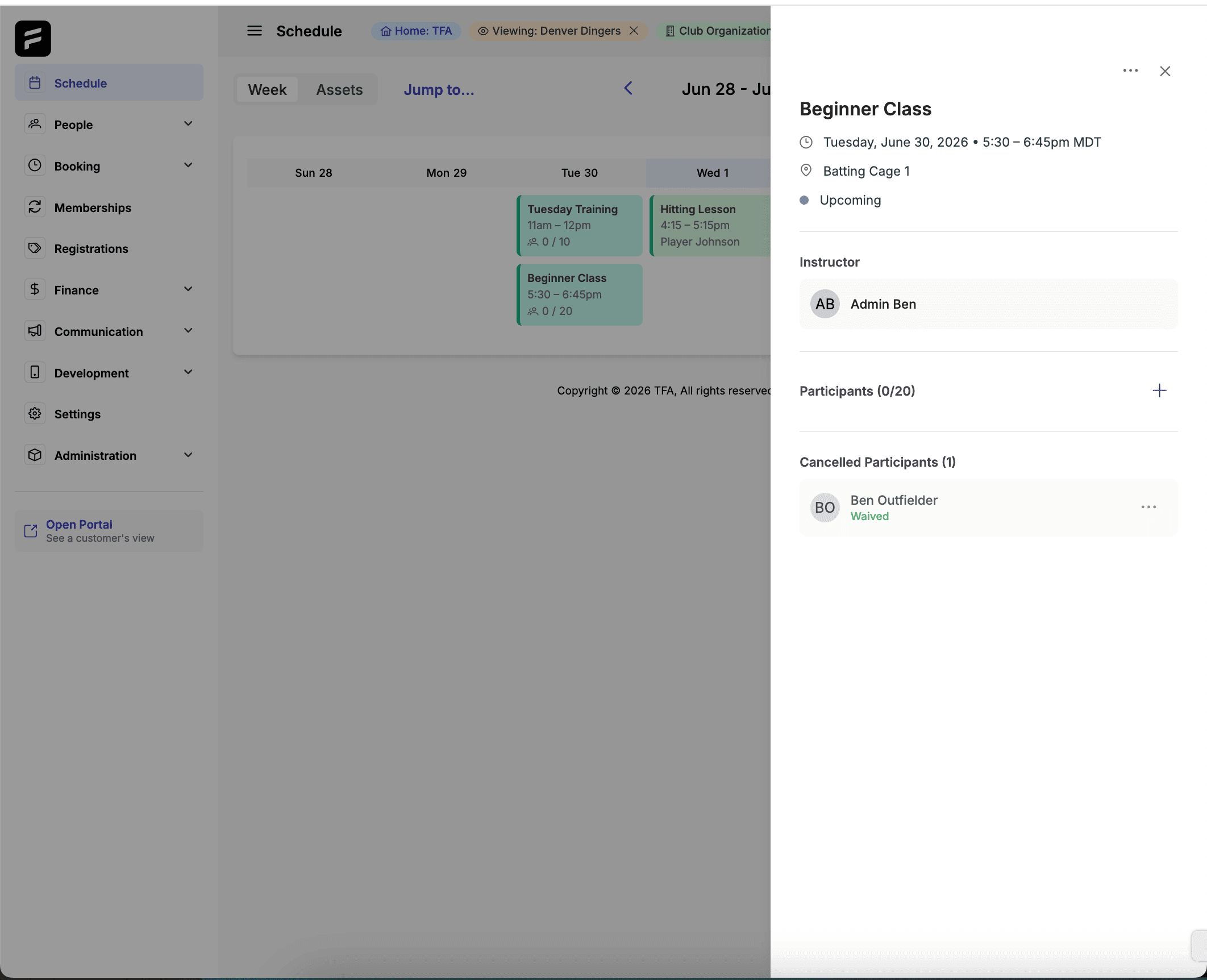
We rebuilt the Booking Detail UI to cut down the number of clicks it takes to manage a booking. Just as importantly, it keeps you in the context of your schedule — so making a change doesn't mean losing your place and navigating back. Fewer interactions, less friction, more done.
A simpler side nav
We also streamlined the side navigation to make getting around admin more intuitive. Less hunting for the screen you need, a cleaner path to the tools you use most.
Why it matters — and what's next
The name says it: this is the foundation. The Schedule tab gives your bookings a real home today, and it's the base we're building team scheduling on next. The Booking Detail and side-nav updates make the everyday work of managing your program faster right now.
How to access this
These updates are live now in your TFA admin — no action needed. Open the new Schedule tab to see it. Not set up on TFA yet, or have questions? Contact us or reach out to your rep.
Past News & Releases
The Best Sports Management Software For Travel Baseball in 2026
LeagueApps vs. Platforms With Player Development: A Real Comparison
How to Manage a Travel Baseball Club Without Five Different Apps
Youth Sports Registration Software: What Clubs Actually Need
Sports Scheduling Software: What to Look For (and What to Avoid)
How Smart Scheduling Software Fills Your Facility's Dead Hours
Online Booking for Sports Facilities: How to Stop Losing Revenue
The Hidden Cost of Running Your Sports Organization on Five Different Apps
Release: Portal Login, Waive Payment, Pay with Stored Method
The Futures App is the all-in-one platform built for youth and travel sports organizations. We help coaches, club directors, facility owners, and independent trainers run their entire operation from a single app — so they can spend less time on administration and more time developing players.
The platform combines everything a modern sports organization needs: player development tools for tracking video, metrics, and drills; facility and booking management with real-time availability; payments and registration for memberships, teams, camps, and bulk invoicing; team communication through structured channels and direct messaging; and professional website hosting built for sports organizations.
The Futures App is used by clubs, academies, and training facilities across baseball, softball, basketball, soccer, volleyball, lacrosse, football, and more. Whether you're running a 200-family travel club or a single-sport training facility, the platform is designed to grow with your organization.
If you're ready to stop duct-taping tools together and run your organization the way it deserves to be run, book a demo and see The Futures App in action.